You need at least one conversation, for example your test call.
1. Find conversations
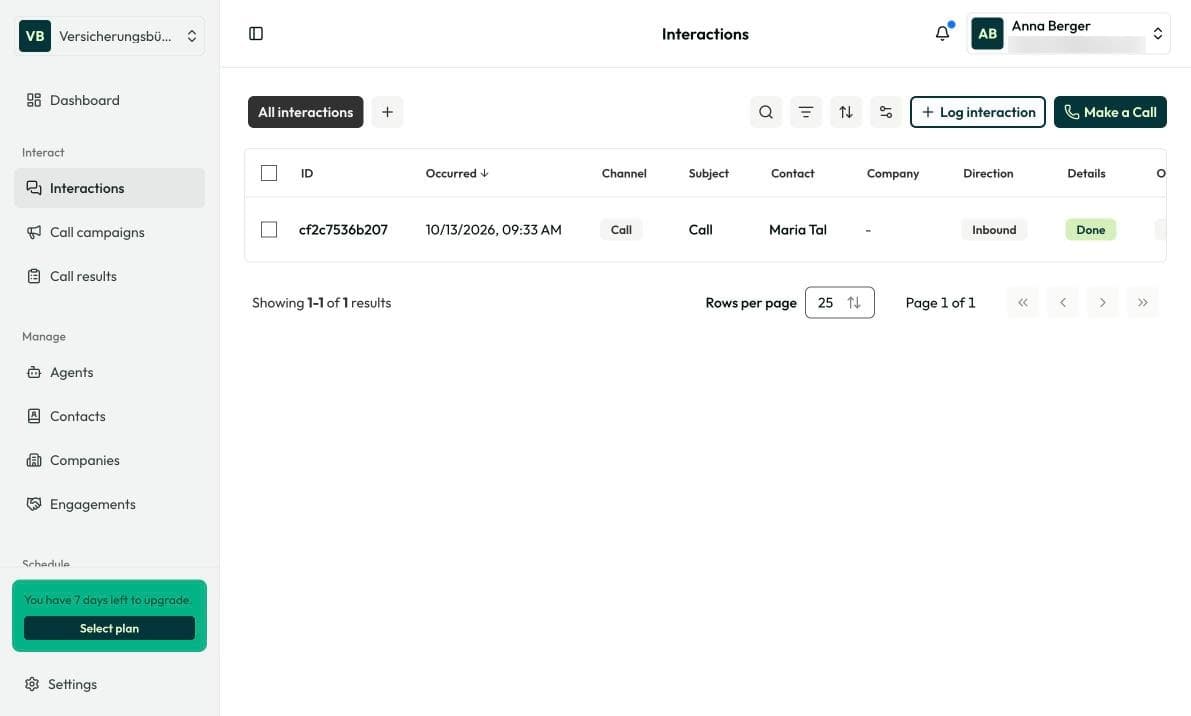
Open Interact › Interactions. You see every touchpoint with your customers: calls, booked appointments and emails sent by Insaio. Use search and filters to find a specific one. To log a conversation outside Insaio, for example on WhatsApp or in person, use Log interaction.
With + you save your own views, for example “Received today”.
2. Open a conversation
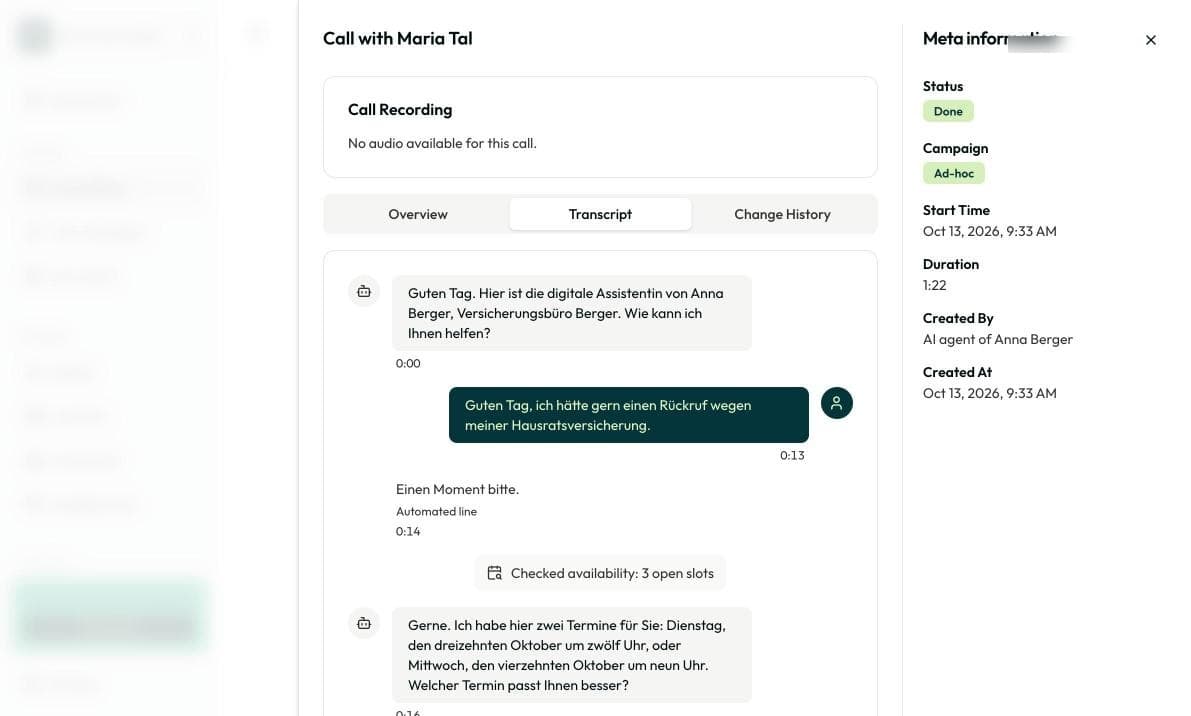
Click an entry. You see the Overview with AI summary and Evaluation, the Transcript and the Change History.
Right after the conversation it briefly shows Analyzing. After a few seconds the conversation is fully evaluated.
3. Set up notifications
Insaio shows new results at the bell at the top right. Under Settings › User › Notifications you choose whether you’re notified in the app or by email.
Frequently asked questions
Check the advisor selection at the top. If a single advisor is selected, you only see their conversations.
12 months by default. You can change this under Settings › Organization › Call settings.