You need at least one conversation with an outcome.
1. Handle requests
Open Interact › Call results. If it says Request received, take care of it and then click Mark as done or Decline.
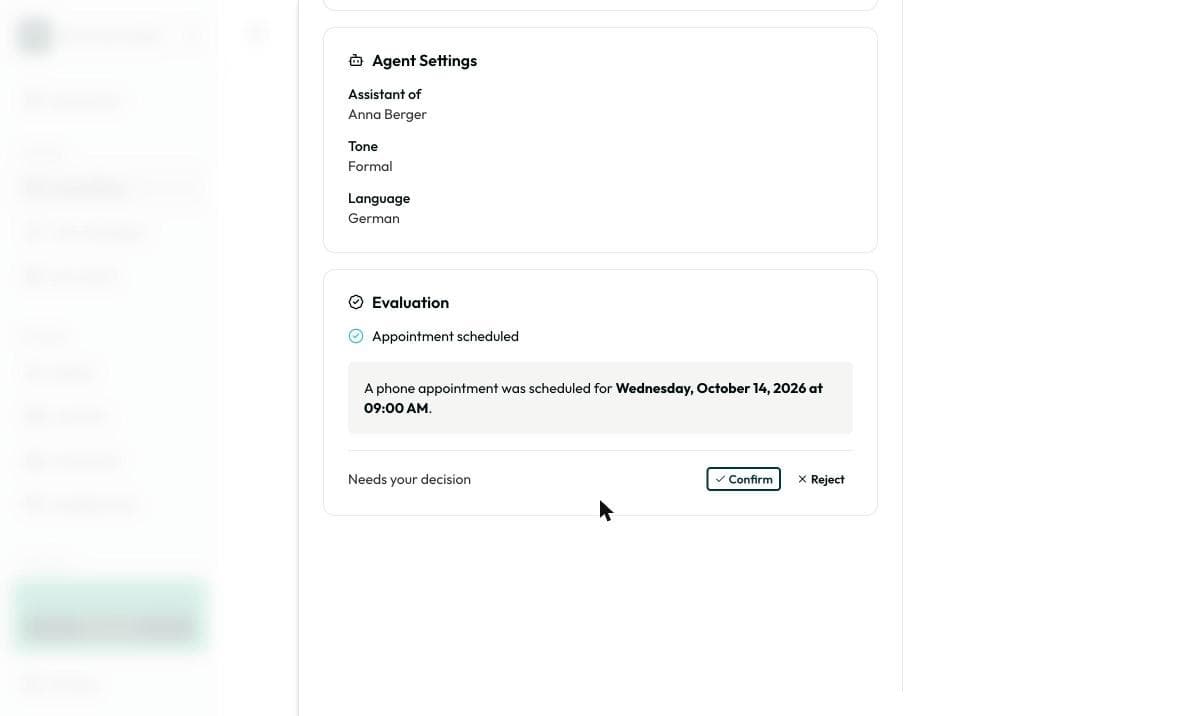
2. Confirm appointments
If it says Appointment scheduled, click Confirm or Reject. You can also do this on the dashboard under Appointments & callbacks.
Appointments that aren’t confirmed yet are hatched in the calendar.
3. Create an engagement
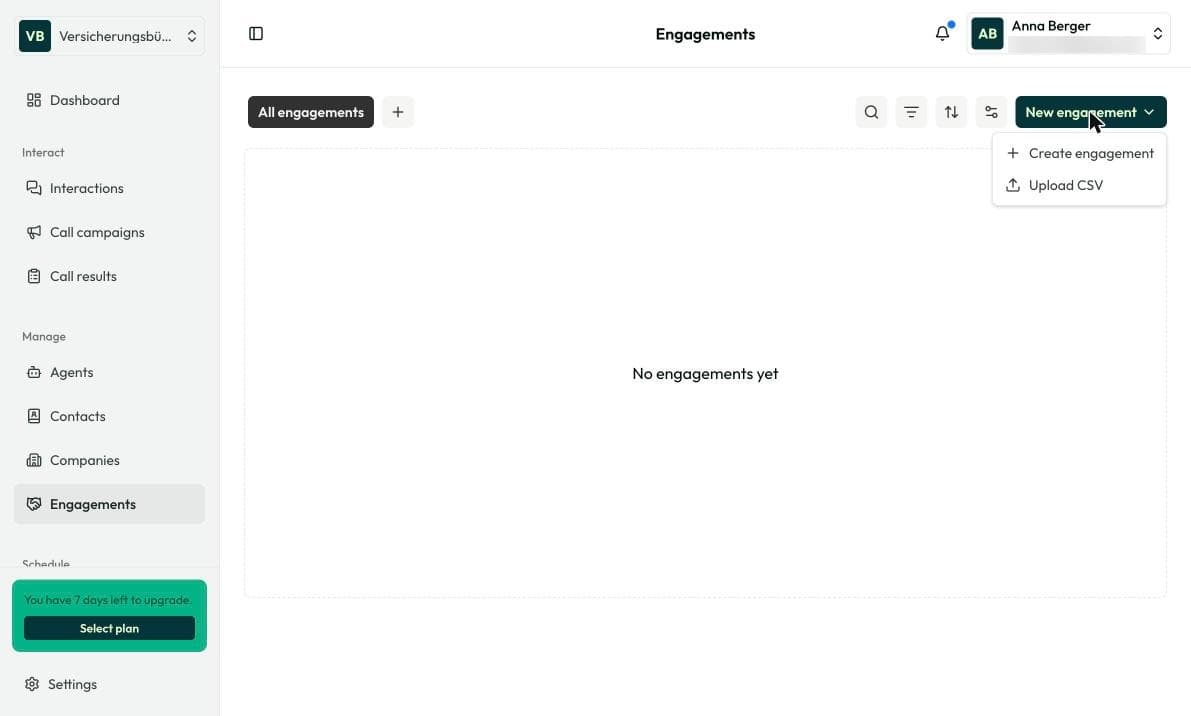
A sales opportunity or a bigger request, for example a contract renewal. Each engagement moves through stages from request to offer and negotiation to won or lost. You see value and expected close at a glance.
Open Manage › Engagements and click New engagement. Create one at a time or upload several via CSV.
4. Keep contacts up to date
Anyone who talks to your agent for the first time is added as a contact automatically. Check the name under Manage › Contacts and add missing details.
Frequently asked questions
You as the advisor. Under Manage › Agents you add more team members.