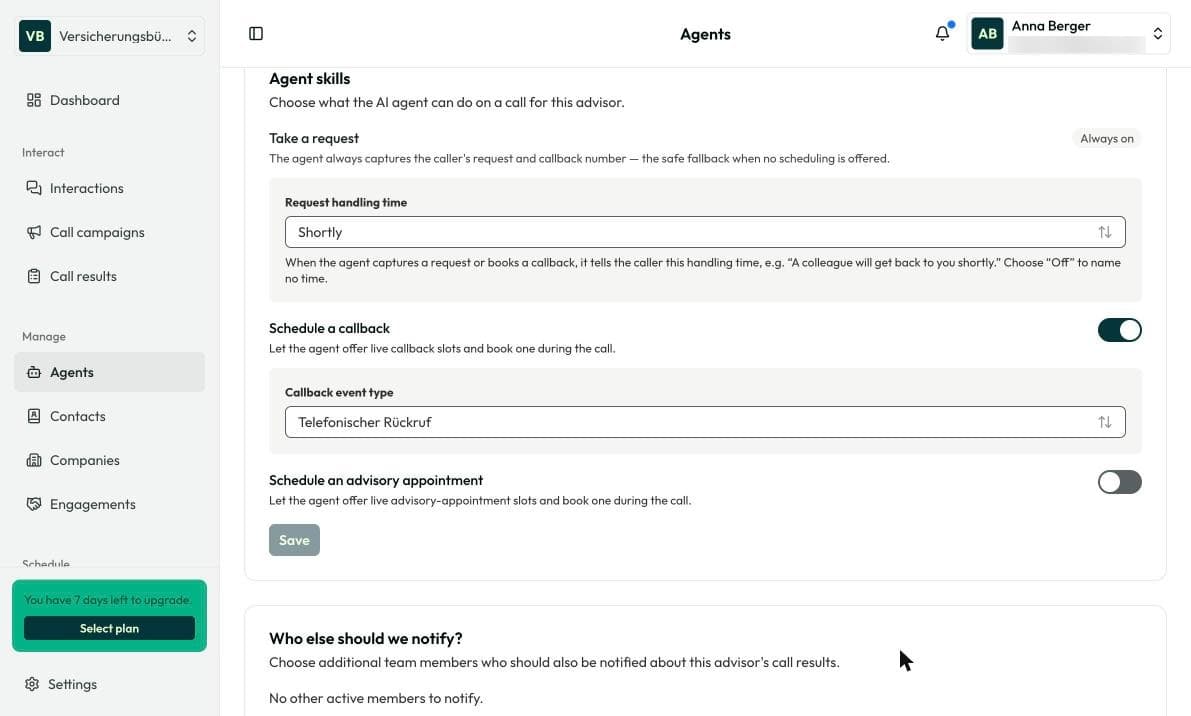
For callbacks and appointments you need an event type, see Calendar & event types.
1. Choose how calls are answered
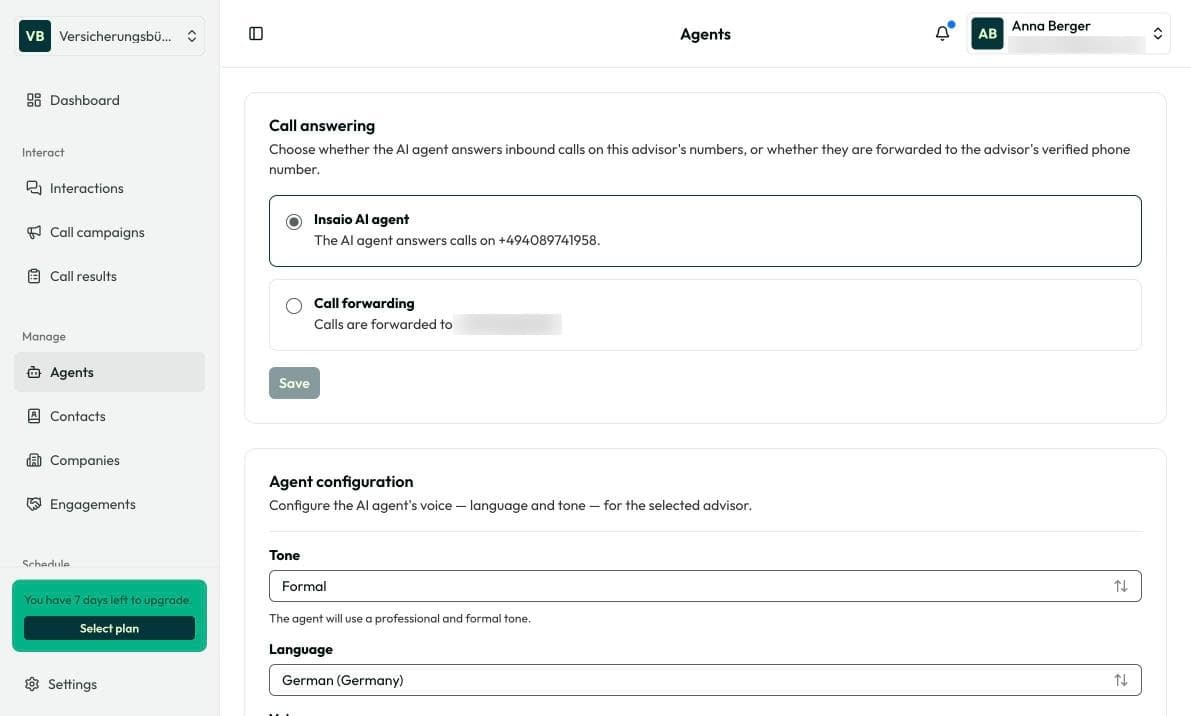
Open Manage › Agents. Under Call answering, Insaio AI agent is selected by default. With Call forwarding, calls go to your verified number instead.
2. Customize your agent
In the same section you choose Tone, Language and Voice. Click Save.
3. Turn on callbacks and appointments
Scroll to Agent skills. Turn on Schedule a callback and choose your event type. For consultations, do the same with Schedule an advisory appointment. Click Save.
4. Try a callback
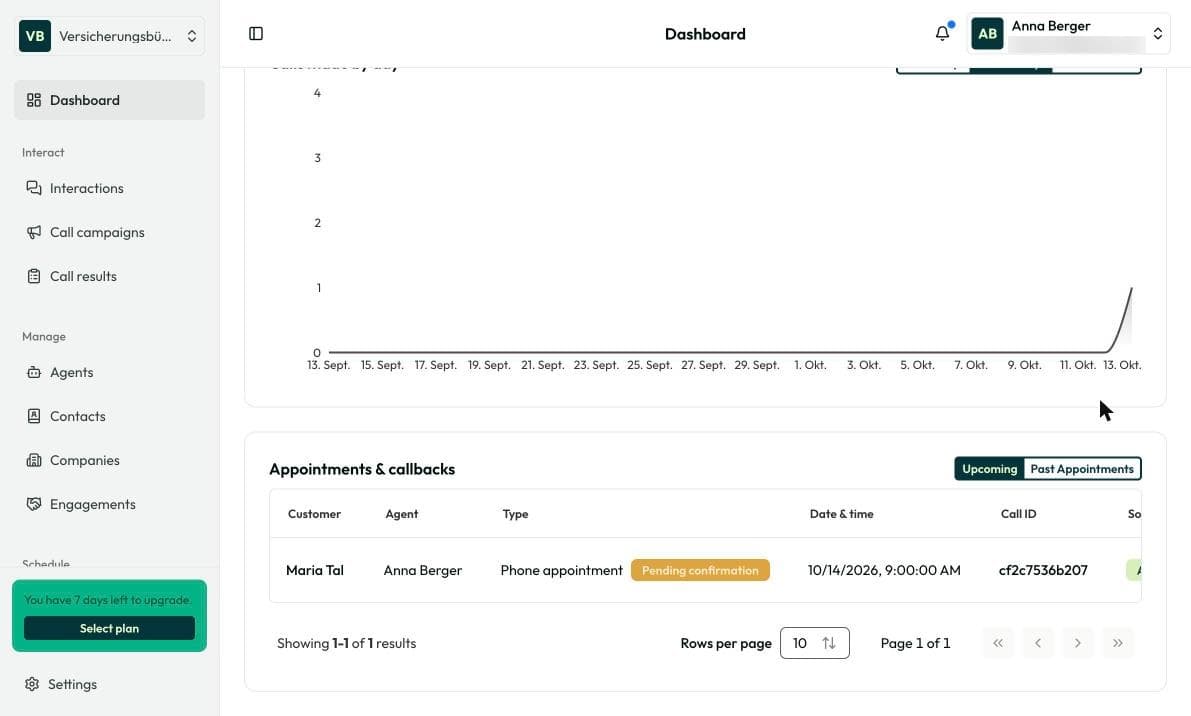
Call your Insaio number and ask for a callback. It then shows up on the dashboard under Appointments & callbacks as Pending confirmation.
Frequently asked questions
Usually an event type is missing or the skill is turned off.
You or the advisor in charge. Your agent only books the appointment.
Only if you turn on call recording under Settings › Organization › Call settings. It is off by default.