
Forms
Every agency and every claims department collects information its own way. Until now, Insaio's agents followed one standard script. From today, you decide what they ask.
Ready to ask from day one
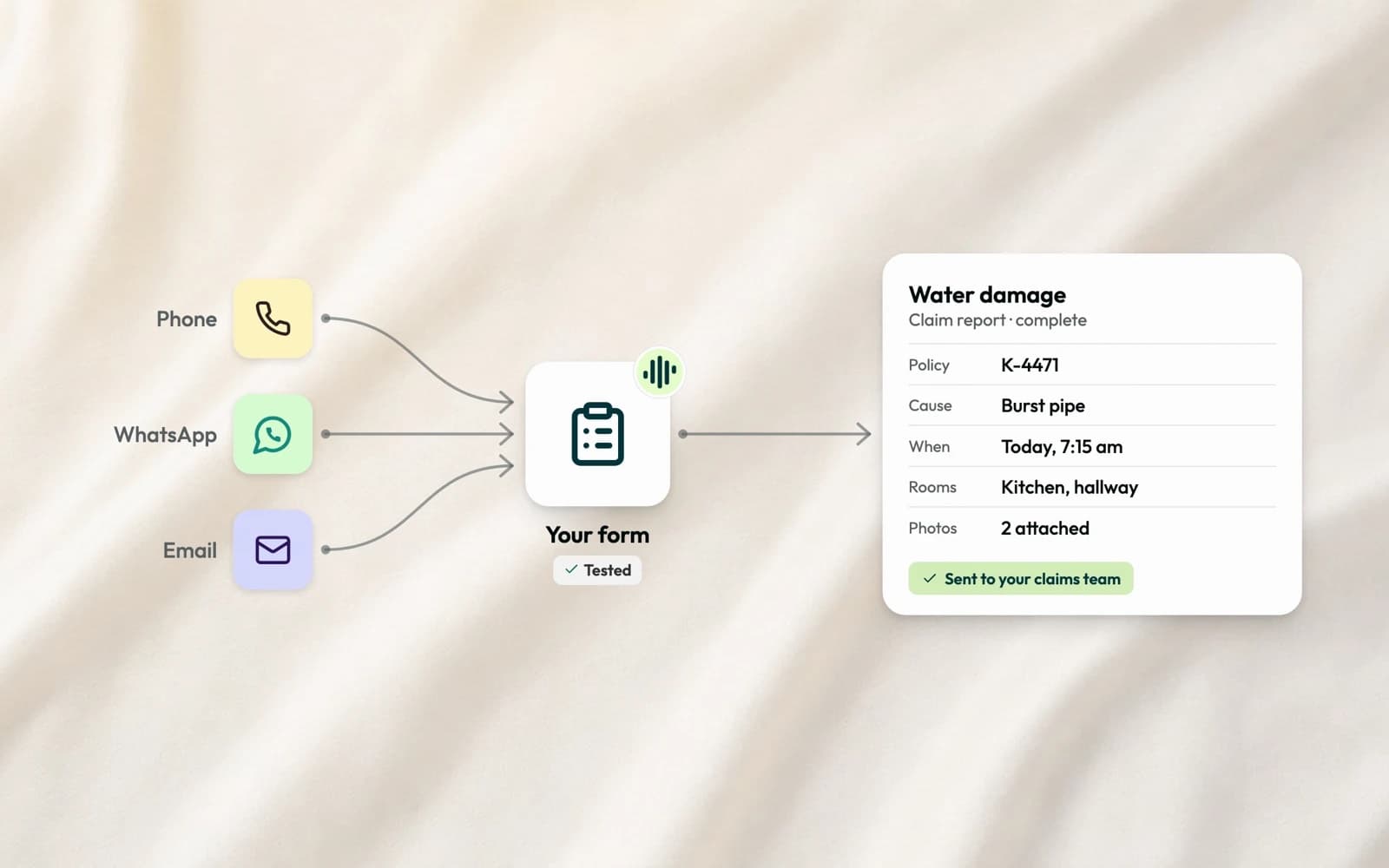
The agents come with ready-made forms, like a first notice of loss or a data update for address and bank details. In settings, you adapt them to your process or create your own. A form is a list of fields: text, date, yes or no, number, address, a choice, a policy number, a photo. You decide which fields are mandatory, in which order they're asked, and the logic between them. If it's water damage, the agent asks for the room and the cause. If it's a car, for the other party.
In the conversation
Connect a form to an agent, and for your client it's simply a conversation, by phone, WhatsApp or email. The agent asks what it needs to know and follows up where an answer is missing. When something is easier to send than to say, like a photo of the damage, the client sends it right in the chat, or gets an upload link while the call is still running.
Where the result goes
The finished form arrives in Insaio as the conversation's result, on the client's record. From there, send it on to the tool of your choice through webhooks or our integrations, so it reaches you or your claims team where they already work.
Guardrails
Customizing a form doesn't mean loosening the agent. Every form version is checked before it can be published, and tested against a simulated client before an agent uses it. The agent asks only what the form contains, and it never invents an answer to fill a gap.
Rollout
Forms roll out over the next few weeks, first to our alpha customers, then to everyone in the beta.
Your process, asked the same way on every call and in every interaction.