
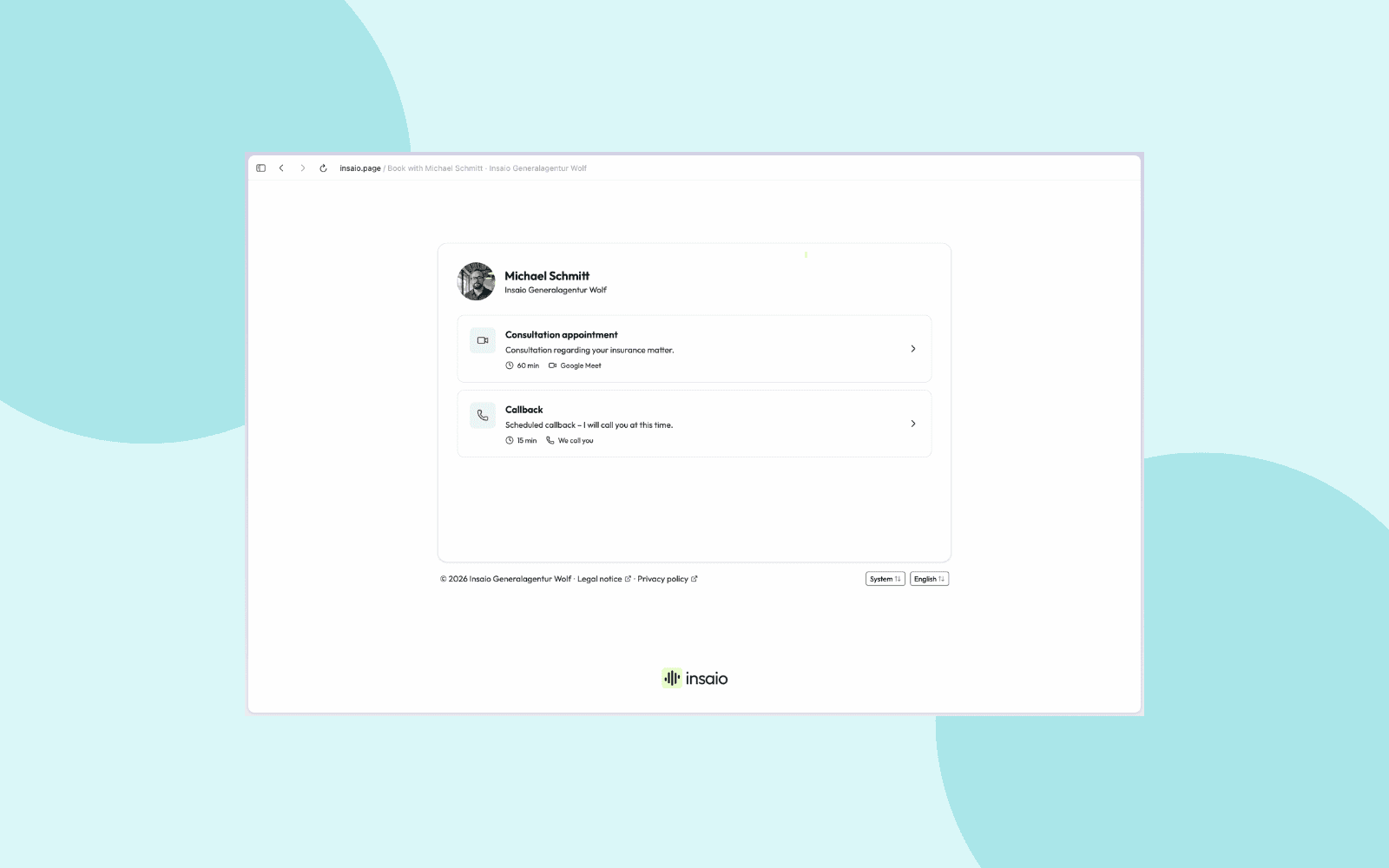
Booking experience
A client wants an appointment. Whether they call, click on your booking page or come from a campaign, they should get an appointment that fits your day, quickly, and it should hold. Here is how that works now.
Appointment types that apply everywhere
Callback, first consultation, annual review, car insurance check: you set up the appointment types your office offers. A callback might take 15 minutes, a consultation 60. Add buffers with your own labels and a booking interval that isn't tied to the appointment length. For each type you also decide how short-notice a booking can be, say tomorrow at the earliest or not before next week. An annual review doesn't have to happen first thing tomorrow.
The AI on the phone, your booking page, your AI Call Campaigns and your team on the phone all book through the same appointment types. No more separate rules per channel.
On the phone: the appointment first, then the details
A caller who wants an appointment gets it during the call, in the right advisor's calendar, only at times that are actually free. As soon as the caller picks a time, the appointment is booked. Only then does the AI ask for details and offer to send the confirmation by email.
In campaigns, if nothing is free in the booking window, the AI doesn't call. The contact stays in the campaign until something opens up.
Booking page, calendar and video room
Every appointment type has its own page. Your clients see the free times from your Google or Microsoft 365 calendar and book themselves. Insaio adds every appointment there and, for video appointments, creates the room in Google Meet, Microsoft Teams or Zoom automatically. For each appointment type you decide whether clients go straight into the room or wait in the waiting room.
Around every appointment
After every booking your client gets a confirmation with a calendar file and video link, with your logo and your own text per appointment type. Before the appointment, Insaio reminds them by email. The confirmation, reminder, booking page and management page speak your client's language and address them formally or informally, the way you set it. Your appointment type texts are translated too.
Every confirmation has a link to reschedule or cancel. Your client picks a new time, and the calendar entry and the Teams or Zoom meeting move with it. You decide per appointment type what they may change.
Coming next
- Reschedule with AI: one click on an existing appointment, and the AI calls your client, finds a new time and moves it. Also when an agreed slot is no longer free.
- Reminders by SMS and WhatsApp, for clients who don't read their email.